
What you are actually paying for
A pen scanner costs more than many phone apps that do something similar, so the value case rests on what the dedicated hardware adds: no screen or app switching, a physical object that is quick to pick up and put down, longer battery life for extended use than most phones get from a camera-heavy app, and, on many models, a design aimed at not looking or feeling like a phone.
If none of those specific advantages matter to you, the premium over a free or low-cost app is harder to justify. If they do matter, day-to-day, the device earns its cost through frequent, low-friction use rather than any single feature.
Who tends to get the most use out of one
People who scan text often and in short bursts throughout the day, rather than occasionally, tend to get the most value: someone following a printed recipe with messy hands, someone working through a stack of printed documents, or someone who prefers listening to reading and does this daily. The device rewards frequent, repeated use rather than being pulled out once a month.
When a phone app makes more sense
If you only need to scan text occasionally, already have your phone in hand most of the time, and do not mind opening an app, a phone-based OCR or text-to-speech app will likely do the job at no extra cost. Phone cameras have also improved enough that many free apps handle printed text about as well as a budget pen scanner.
Costs beyond the purchase price
Beyond the upfront cost, consider battery charging habits, replacement tips or styluses on some models, and the fact that a single-purpose device is one more thing to charge, carry, and eventually replace. None of these are large costs individually, but they add up over a few years of ownership compared to using a device you already carry.
A simple way to decide
Try to estimate how often you would actually use it in a typical week. If the honest answer is daily or near-daily, the convenience of a dedicated, always-ready device tends to pay off. If the honest answer is rarely, a free app is the more sensible starting point, and you can always reconsider a dedicated device later once you know your actual usage pattern.
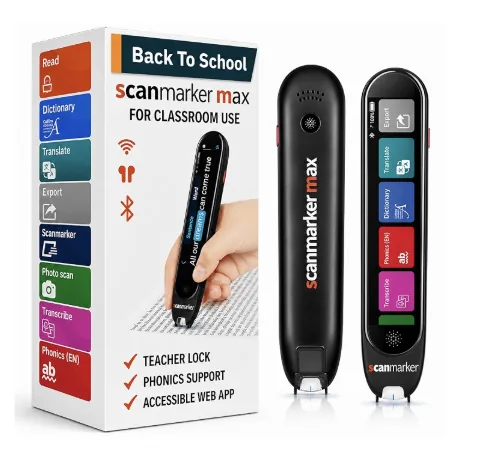
Scanmarker Max
Best for: Full independence — exam-approved, phonics-ready