
Dyslexia, TTS & Access
Dyslexia, reading pens, text-to-speech, accessibility, students, and vocabulary.
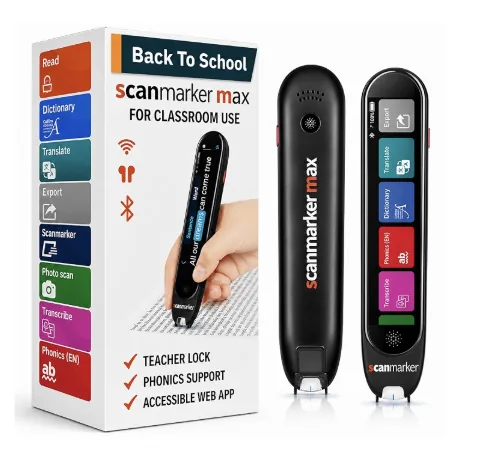
Reading Pens for Dyslexia
A reading pen scans printed text line by line and reads it aloud — an access tool that works alongside phonics instruction, not a replacement for it.
Read guide →
What Tools Help With Dyslexia?
Tools that help with dyslexia: text-to-speech, reading pens, audiobooks, screen readers, word prediction — each removes a different barrier.
Read guide →
How Technology Can Help With Reading
Technology helps with reading by converting text into an easier format to process — speech, highlighting, adjustable fonts, or instant word lookup.
Read guide →
Text-to-Speech for Dyslexia
Text-to-speech for dyslexia converts digital text into spoken audio with word-by-word highlighting — supports access, doesn't replace decoding instruction.
Read guide →
Assistive Technology for Dyslexia
Assistive technology for dyslexia — text-to-speech, reading pens, audiobooks, screen readers, dictation — supports literacy access, not reading instruction.
Read guide →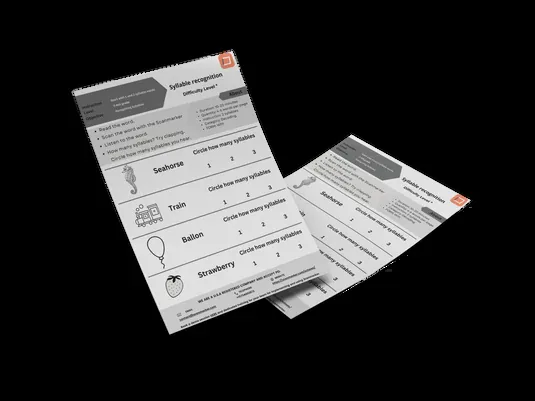
How to Help a Struggling Reader at Home
Struggling reader at home? This guide won't diagnose your child — it helps you spot what's normal, what to raise with the school, and what to try tonight.
Read guide →
Reading Pens for Adults with Dyslexia
Scanmarker Max and Pro give adults with dyslexia the same read-aloud and phonics support as students — no IEP or case-manager infrastructure needed.
Read guide →
Structured Literacy in 10 Minutes
Structured literacy is explicit, systematic, cumulative, multisensory, diagnostic reading instruction — the IDA's definition and the K-3 consensus standard.
Read guide →
5 Ways Scanmarker Max Helps Dyslexic Students
Scanmarker Max supports dyslexic students with a phonics module, exam-lock mode, instant read-aloud, display customization, and standalone operation.
Read guide →