
What Is a Pen Scanner? The Formal Definition
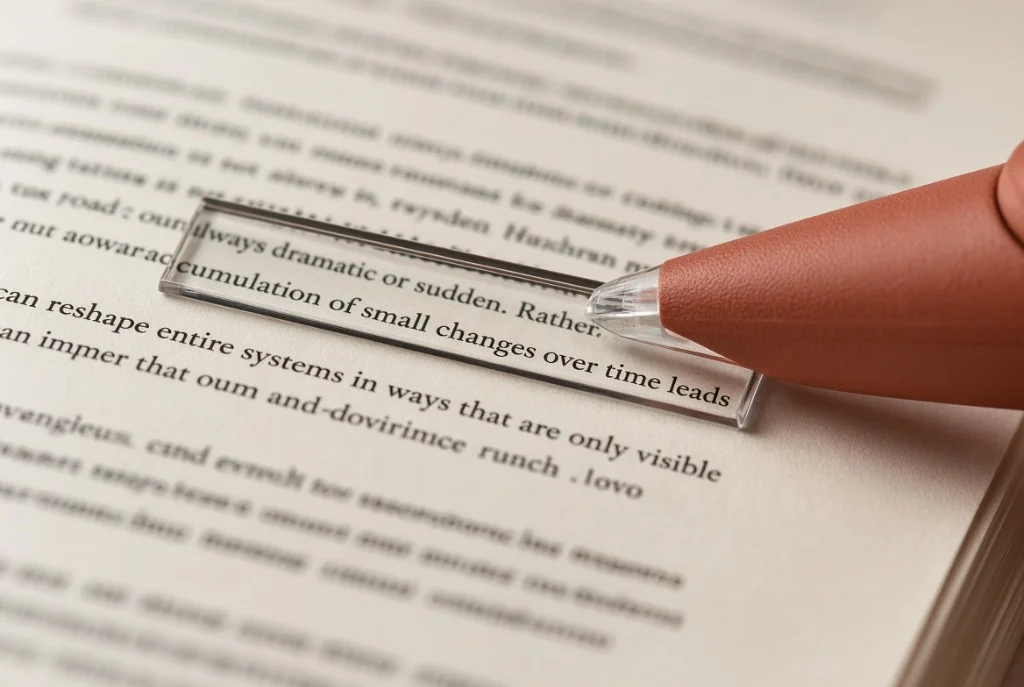
A pen scanner is a specialized handheld optical character recognition (OCR) and text-to-speech (TTS) device engineered to scan, digitize, and vocalize printed text line by line. Shaped like an ergonomic highlighter or thick stylus, the device is held in the hand and guided manually across a printed surface—such as a book page, worksheet, legal document, or product label.
Unlike traditional flatbed scanners that capture an entire static document page at once, or smartphone camera apps that photograph rectangular fields from a distance, a pen scanner functions through continuous linear contact. A micro-camera located directly behind an illuminated guide aperture captures dozens of high-speed snapshot frames per second as the user sweeps the tip along a sentence. Onboard image-processing hardware binarizes the raster frames, stitches them into a continuous line image, recognizes the character glyphs, and converts them into machine-encoded Unicode text.
Depending on the device’s architecture, this recognized text is either displayed on an integrated OLED screen, read aloud through an onboard speaker or connected earbuds, or transmitted immediately over USB or Bluetooth as simulated keystrokes into an active computer cursor.
A pen scanner is a handheld optical digitizer shaped like an oversized highlighter. Sweeping its contact tip across printed text activates a micro-camera that captures high-speed frames, stitches them into a continuous line bitmap, processes character glyphs via embedded OCR into editable text, and instantly speaks the words aloud or streams them into any paired device.
Taxonomy & Classification of Scanning Pens
While all pen scanners share the same underlying optical swipe mechanism, consumer and institutional hardware diverges into three distinct categories based on autonomy, connectivity, and primary cognitive intent.
| Category | Primary Output | Host Connection | Top Hardware Models |
|---|---|---|---|
| Standalone Reading Pens | Integrated speaker, 3.5mm jack & OLED screen | Zero (100% self-contained offline) | C-Pen Reader 2, Scanmarker Max, ReaderPen |
| Tethered Digital Highlighters | Simulated USB/Bluetooth HID keyboard stream | Requires PC, Mac, Chromebook, or tablet | Scanmarker Air, IRISPen Air 7, PenPower WorldPen |
| Multilingual Translator Pens | Bilingual text screen & dual-language TTS | Hybrid (Offline core dictionaries + Cloud MT) | Scanmarker Pro, Vormor X5, Dosmono C-Pen |
- Primary Output
- Integrated speaker, 3.5mm jack & OLED screen
- Host Connection
- Zero (100% self-contained offline)
- Top Hardware Models
- C-Pen Reader 2, Scanmarker Max, ReaderPen
- Primary Output
- Simulated USB/Bluetooth HID keyboard stream
- Host Connection
- Requires PC, Mac, Chromebook, or tablet
- Top Hardware Models
- Scanmarker Air, IRISPen Air 7, PenPower WorldPen
- Primary Output
- Bilingual text screen & dual-language TTS
- Host Connection
- Hybrid (Offline core dictionaries + Cloud MT)
- Top Hardware Models
- Scanmarker Pro, Vormor X5, Dosmono C-Pen
1. Standalone Reading Pens
2. Tethered Digital Highlighters
3. Multilingual Translator Pens
The Problem It Solves: The Ergonomic Gap Between Print and Pixels
The pen scanner emerged to solve a fundamental physical mismatch in modern computing: human beings still read billions of physical paper pages, yet human note-taking and cognitive analysis happen primarily on digital screens.
Before the advent of linear contact scanners, transcribing quotes or data from a printed book required one of two frustrating workflows: manual keyboard transcription (averaging 30-40 words per minute with frequent human typographic errors), or flatbed scanning (which requires lifting heavy volumes, flattening delicate spines against glass, running batch desktop OCR, and searching for the desired sentence).
For readers with language-based learning differences such as dyslexia, the problem was even more acute. A student struggling with phonological decoding spends so much cognitive working memory deciphering individual syllables that semantic comprehension completely breaks down. Pen scanners remove this mechanical friction: the hand simply points to the confusing phrase, and the audio processor converts print into sound on demand.
How Pen Scanners Work (End-to-End Pipeline)
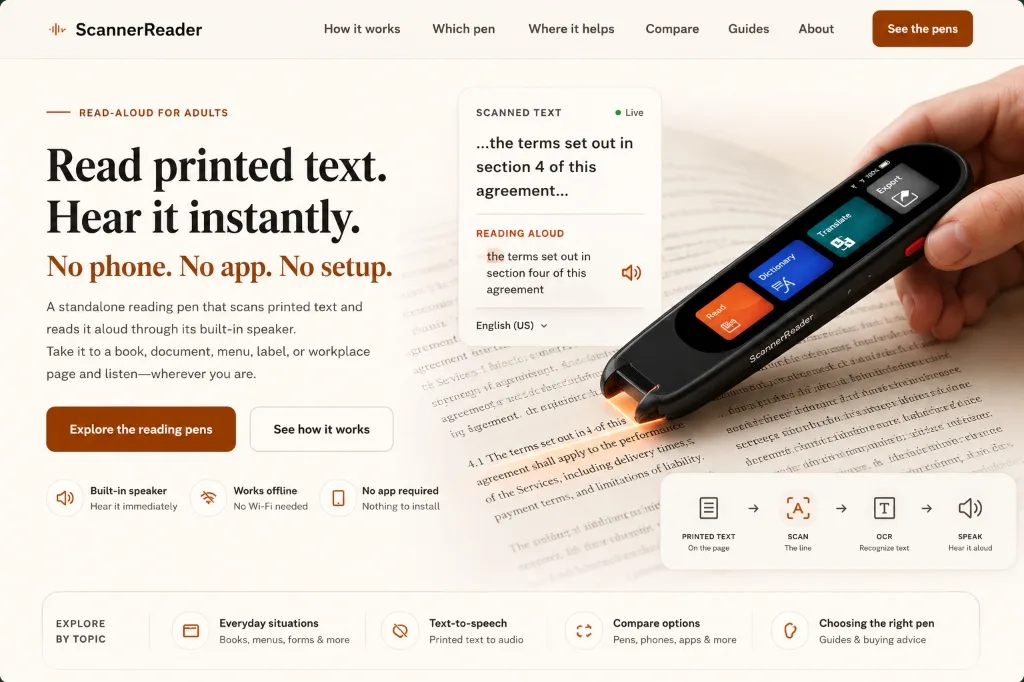
The operational lifecycle of a pen scanner occurs within 300 to 500 milliseconds from the moment the tip touches paper until audio emerges from the speaker. This process is governed by a tightly synchronized four-stage embedded pipeline.
Dual white LEDs illuminate line; 60-120 fps CMOS sensor records sequential bitmap frames.
Hardware image processor binarizes contrast and matches overlapping pixel matrices into a single strip.
Embedded character classification matrix resolves glyph contours into verified Unicode strings.
Text-to-speech DAC synthesizes phonemes or sends simulated keystrokes to host computer.
What a Pen Scanner Is NOT: Boundary Definitions
Because the term "pen" is ubiquitous in personal electronics, pen scanners are frequently conflated with unrelated hardware categories. Establishing strict boundaries is essential for choosing the right tool.
| Device Category | Has Optical Camera? | Contains Ink? | Primary Function | Input Medium |
|---|---|---|---|---|
| Pen Scanner (OCR Pen) | Yes (Micro contact CMOS) | No (Zero ink, pure scanner) | Reads printed text aloud or types into computer | Standard printed paper books & sheets |
| Digital Smartpen (Livescribe) | Yes (Downward infrared) | Yes (Ballpoint ink cartridge) | Digitizes handwritten notes & syncs audio | Proprietary dot-pattern notebooks |
| Stylus / Apple Pencil | No (Capacitive/active RF) | No (Plastic nib) | Draws and annotates on glass screens | Digital touchscreens (iPad, Surface) |
| Handheld Document Wand | Yes (Full-width CIS roller) | No | Archives full-page 300 DPI PDF document images | Flat paper sheets passed over by roller |
- Has Optical Camera?
- Yes (Micro contact CMOS)
- Contains Ink?
- No (Zero ink, pure scanner)
- Primary Function
- Reads printed text aloud or types into computer
- Input Medium
- Standard printed paper books & sheets
- Has Optical Camera?
- Yes (Downward infrared)
- Contains Ink?
- Yes (Ballpoint ink cartridge)
- Primary Function
- Digitizes handwritten notes & syncs audio
- Input Medium
- Proprietary dot-pattern notebooks
- Has Optical Camera?
- No (Capacitive/active RF)
- Contains Ink?
- No (Plastic nib)
- Primary Function
- Draws and annotates on glass screens
- Input Medium
- Digital touchscreens (iPad, Surface)
- Has Optical Camera?
- Yes (Full-width CIS roller)
- Contains Ink?
- No
- Primary Function
- Archives full-page 300 DPI PDF document images
- Input Medium
- Flat paper sheets passed over by roller
Do not confuse a pen scanner with a digital ballpoint pen (such as Livescribe or Neo Smartpen). Digital writing pens record ink strokes you write by hand onto specialized micro-dot paper. Pen scanners contain zero ink and write nothing; their sole purpose is optical scanning and machine reading of pre-existing printed typography.
Key Capabilities & Technical Characteristics
Modern consumer pen scanners pack significant processing power into a chassis weighing between 50 and 80 grams. The table below details standard operational specifications across top-tier devices.
| Technical Parameter | Industry Baseline Specification | High-Performance Benchmark | Operational Impact |
|---|---|---|---|
| Scanning Velocity | 8 to 15 cm per second | 20+ cm per second | Allows natural, continuous sweeping across standard book margins |
| Font Size Recognition | 8 pt to 20 pt | 6 pt to 28 pt | Covers small dictionary footnotes up to large textbook headers |
| Capture Angle Tolerance | 70° to 85° perpendicular | 60° to 90° multi-angle | Determines how forgiving the device is of left-handed or relaxed grips |
| Onboard Battery Life | 4 to 6 continuous hours | 8 to 10 hours | Sustains a full school day or university library research session |
| Character Accuracy | 95% to 98% on clean print | 99.2%+ on 12pt standard book fonts | Fewer misread characters means uninterrupted audio comprehension |
- Industry Baseline Specification
- 8 to 15 cm per second
- High-Performance Benchmark
- 20+ cm per second
- Operational Impact
- Allows natural, continuous sweeping across standard book margins
- Industry Baseline Specification
- 8 pt to 20 pt
- High-Performance Benchmark
- 6 pt to 28 pt
- Operational Impact
- Covers small dictionary footnotes up to large textbook headers
- Industry Baseline Specification
- 70° to 85° perpendicular
- High-Performance Benchmark
- 60° to 90° multi-angle
- Operational Impact
- Determines how forgiving the device is of left-handed or relaxed grips
- Industry Baseline Specification
- 4 to 6 continuous hours
- High-Performance Benchmark
- 8 to 10 hours
- Operational Impact
- Sustains a full school day or university library research session
- Industry Baseline Specification
- 95% to 98% on clean print
- High-Performance Benchmark
- 99.2%+ on 12pt standard book fonts
- Operational Impact
- Fewer misread characters means uninterrupted audio comprehension
Deep Dive: Embedded On-Device OCR vs. Cloud Vision Engines
The central architectural debate in pen scanner engineering centers on where the character recognition computation takes place: inside the pen’s embedded RISC microchip or across an internet connection on a cloud vision server.
Early pen scanners required heavy desktop PC drivers because microcontrollers were too slow to execute pattern-matching algorithms in real time. Modern standalone pens, however, utilize low-power neural edge processors (ARM Cortex-M or Cortex-A class) running compact C++ OCR binaries. This embedded architecture delivers three non-negotiable advantages for assistive and professional use:
1. Deterministic Sub-Second Latency: Cloud API calls introduce network handshakes, server queuing, and round-trip payload delays that typically total 800ms to 2,000ms. On-device OCR processes glyphs in under 60ms, ensuring that synthesized speech starts before the user’s hand has even finished lifting off the paper.
2. Institutional Data Privacy & FERPA Compliance: School districts, healthcare providers, and enterprise legal departments operate under strict confidentiality mandates. Standalone offline pens store zero telemetry and transmit no images over the air, completely eliminating security compliance liabilities.
3. Uncompromising Field Reliability: Library basements, archival vaults, rural classrooms, and international airplanes rarely offer robust Wi-Fi. An offline scanning pen operates with identical speed and accuracy regardless of signal availability.
History & Evolution: Four Eras of Handheld OCR
Handheld text scanning evolved over three decades from specialized industrial logistics peripherals into polished consumer consumer-tech and assistive reading instruments.
| Era | Timeframe | Defining Hardware Architecture | Primary Limitation |
|---|---|---|---|
| 1. The Corded Wand Era | 1995 – 2002 | Heavy serial/PS2 corded wands tethered to desktop PCs running Windows 95; required specialized roller wheels. | Fixed font requirements, manual calibration, constant hardware driver crashes. |
| 2. The Early Portable Era | 2003 – 2011 | Battery-powered monochrome LCD pens (e.g., early C-Pen 10, Quicktionary); primitive onboard 8-bit processors. | Slow recognition (2-3 seconds per line), stiff mechanical roller tips, robotic speech. |
| 3. The Wireless Connected Era | 2012 – 2019 | Slimline Bluetooth highlighters (Scanmarker Air) piping text directly into smartphone apps and word processors. | Dependent on host phone battery and pairing stability; lacking standalone audio screens. |
| 4. The Neural Standalone Era | 2020 – Present | Independent smartpens with multi-core ARM chips, color touchscreens, humanlike neural TTS, and instant offline dictionaries. | Higher initial unit price; still constrained to single-line sweep geometries. |
- Timeframe
- 1995 – 2002
- Defining Hardware Architecture
- Heavy serial/PS2 corded wands tethered to desktop PCs running Windows 95; required specialized roller wheels.
- Primary Limitation
- Fixed font requirements, manual calibration, constant hardware driver crashes.
- Timeframe
- 2003 – 2011
- Defining Hardware Architecture
- Battery-powered monochrome LCD pens (e.g., early C-Pen 10, Quicktionary); primitive onboard 8-bit processors.
- Primary Limitation
- Slow recognition (2-3 seconds per line), stiff mechanical roller tips, robotic speech.
- Timeframe
- 2012 – 2019
- Defining Hardware Architecture
- Slimline Bluetooth highlighters (Scanmarker Air) piping text directly into smartphone apps and word processors.
- Primary Limitation
- Dependent on host phone battery and pairing stability; lacking standalone audio screens.
- Timeframe
- 2020 – Present
- Defining Hardware Architecture
- Independent smartpens with multi-core ARM chips, color touchscreens, humanlike neural TTS, and instant offline dictionaries.
- Primary Limitation
- Higher initial unit price; still constrained to single-line sweep geometries.
Known Limitations & Physical Failure Modes
While pen scanners excel at reading standard printed literature, they are precision optical instruments with definite mechanical boundaries. Understanding these constraints prevents user frustration:
- Cursive & Freehand Handwriting: Pen scanners are trained on typographic typefaces (Times New Roman, Arial, Georgia, Calibri). Freeform cursive handwriting, messy student notes, or stylized calligraphy will trigger garbled OCR output.
- Glossy Paper & Specular Glare: Thick glossy magazines, coated art textbooks, and laminated instructional cards reflect the pen’s LED strobes directly into the CMOS lens, creating whiteout glare spots that blind the sensor.
- Extreme Font Scales: Typography smaller than 6 pt (such as pharmaceutical fine print) blurs beyond the sensor’s focal depth, while giant headings larger than 24 pt exceed the physical height of the scanning window aperture.
- Gutter Pinch on Tight Book Bindings: Thick hardcover academic tomes or tightly glued paperbacks curve steeply into the center spine gutter. If the pen’s optical contact flat cannot sit flush against the paper, characters at the edge of the line will be cut in half.
- Erratic Hand Trajectories: Sweeping in a wavy "S" curve or changing speed mid-word alters the pixel stitching geometry, causing character duplication or dropped words.
Benefits vs. Tradeoffs: An Objective Analysis
Evaluating a pen scanner requires balancing its unparalleled linear speed against the realities of a single-purpose hardware investment.
Core Advantages
- ✓Immediate line-level text capture without taking eyes off the page
- ✓Eliminates digital notifications, social media pings, and phone distractions
- ✓Approved for standardized exams and IEP accommodation plans
- ✓Works completely offline in airplane cabins, library stacks, and remote field sites
- ✓Provides multi-sensory dual-coding (simultaneous visual text + spoken audio)
Operational Tradeoffs & Costs
- •Requires manual hand-eye coordination and consistent sweep speed
- •Cannot scan whole pages, multi-column blocks, or large posters at once
- •Substantial hardware cost ($150–$250) compared to free phone apps
- •Struggles on glossy coatings, curved paper margins, and handwriting
- •Internal battery requires periodic recharging via USB-C
How It Compares to the Human Alternative
Before assistive scanning pens, individuals who struggled with reading relied primarily on human support: a parent reading homework aloud, a designated classroom aide (paraprofessional) sitting beside a student, or a colleague transcribing archival quotes.
While a human reader provides emotional warmth and intuitive contextual interpretation, human assistance introduces significant friction. In educational environments, students often report profound embarrassment or loss of autonomy when requiring an adult to read every worksheet aloud. Furthermore, paraprofessionals are expensive and in critically short supply across public school districts.
A pen scanner acts as a tireless, private, non-judgmental reader. A student or researcher can re-scan a difficult sentence five consecutive times without feeling self-conscious. The pen does not replace specialized educational therapists, but it completely replaces the mundane, daily dependence on another person for basic decoding.
When to Use a Pen Scanner (And When NOT To)
Use this actionable decision framework to determine whether a pen scanner matches your workflow requirements.
For comprehensive hardware benchmarks and optical sensor architecture specs, see Pen Scanner Org, or consult multi-brand buyer directories and model comparisons at Pen Scanner Co.
USE A PEN SCANNER WHEN:
- ✓You are reading physical printed books, worksheets, or paper legal contracts
- ✓A student with dyslexia needs independent read-aloud support during exams
- ✓A researcher needs to capture selective quotes directly into Microsoft Word
- ✓You want focused, distraction-free study without smartphone screen temptations
- ✓You are working in a secure facility where cameras, Wi-Fi, or phones are banned
DO NOT USE A PEN SCANNER WHEN:
- •Your source reading material is already digital (PDFs, Kindle, websites)
- •You need to digitize an entire 300-page book archive from cover to cover
- •The source material is handwritten letters, journal entries, or cursive notes
- •You are on a zero-dollar budget and already own a modern smartphone with camera OCR
- •The text is printed on high-gloss packaging or curved beverage cans
The Mental Model / Analogy: The "Tactile Audio Cursor"
To understand the cognitive role of a pen scanner, do not think of it as a camera or a miniature computer. Think of it as a "Tactile Audio Cursor."
On a computer screen, your mouse cursor selects digital text and allows accessibility software to highlight and read it aloud. In the physical world, your index finger or highlighter has traditionally been the guide for your eyes. A pen scanner simply electrifies that physical finger: wherever you slide it on paper, it pulls physical ink into the digital audio plane with zero intermediate steps.
Frequently Asked Questions
Straightforward answers to the most common practical questions regarding pen scanner hardware and daily operation.